
文明演化
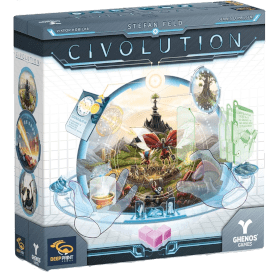 亲爱的学员们:
我与创世技术学院的宇宙教员们向你们表示热烈欢迎,
欢迎各位参加文明设计领域最重要的考试:《文明演化》。
自我介绍一下,我的名字叫阿格拉,作为这个机构的管理实体,
负责主持这场考试。
这一次,我们在一片与世隔绝的大陆上选择了人形基础场景。
你们每一位都被指派为一位地方神祇,与自己的文明紧密相连,并肩负引领它在与其他文明的竞争中走向成功的使命。
从文化与技术的进步,再到生物进化适应,
发展的可能性是无穷无尽的。
比如,你们认为哪项发展更能推动自己文明的进步:
是发明轮子,
还是长出翅膀?
证明你们能够熟练掌控自己的控制台,并能适应多变的环境参数。
以及各种造物般的混乱状况。
考试在四个时代后结束。
届时,谁的文明积累了最多的成功分,谁不仅能通过考试,还将有机会作为创世技术学院的正式成员晋升到下一阶。
祝各位都能拥有一次成功的《文明演化》!
玩家人数: 1 - 4
游戏时长: 82 mn
复杂度: 5 / 5
在线上玩 文明演化 以及 1421 款其他游戏。
无需下载——直接在浏览器上玩.
与您的朋友以及来自世界各地的玩家一起.
免费。


在线上玩 文明演化 以及 1421 款其他游戏。
无需下载——直接在浏览器上玩.
与您的朋友以及来自世界各地的玩家一起.
免费。
玩法简介
Playing on BGA: the interface
This summary explains how to play with the interface. It does not replace the rulebook, which remains the reference for modules, cards and scoring.
The screen
- At the top, the boards:
- on the left, the progress board with the tracks and the displays (goal chips, income chips, attribute chips) and the final scoring row;
- in the middle, the continent;
- on the right, the phase sequence (the marker shows the current phase), the weather gauge, the eras, the Favor of Agera track and the events.
- Four layout buttons above the boards: All boards, Continent only, Continent under boards, Boards under continent. Your choice is remembered for each table.
- The research stacks: the five card types (A to E), each with its draw pile and discard pile.
- Your hand of research cards, just above the consoles.
- The consoles of all players, yours first.
- The player panels, on the right: food, money, idea and focus, your dice, and the farm, settlement and boat counters. A counter warns you when that supply is exhausted.
- A navigation bar on the left edge of the screen jumps straight to the boards, the continent or any console.
Tips
- Hover: almost everything has a tooltip. Pieces, track spaces, phases, weather, cards and chips.
- Whatever you can click pulses (or grows, depending on the Animations preference).
- Hold Shift to hide tribes and pieces, Ctrl to hide tokens, and see the tiles underneath.
- Read the title bar: it always says what is expected. When a button has clickable content (for instance skipping a cost space of a card), a small line under the buttons explains it.
Preferences
In the BGA preferences menu:
- Consoles layout: one or two columns of consoles, or automatic depending on screen width.
- Player hand: the hand floats at the bottom of the screen and unfolds on hover, or stays fixed above the consoles. By default it floats on desktop and is fixed on mobile.
- Animations: full, without pulsing, or off.
Setup
- Each player chooses to be a newcomer or an advanced player, then confirms.
- Everyone chooses their starting cards, then clicks Confirm selection.
- Everyone chooses their starting chip card. A confirmation reminds you that you keep it for the whole game.
- In solo, the V.I.C.I level is chosen at the start and shown on the start button.
How a round plays
The phase marker moves along the right board. Phases with no decision play by themselves.
- New cards: automatic.
- New goals: click a goal chip in the display, then confirm, or Do nothing.
- Extra find: choose a material, or Do nothing.
- Action phase: one player at a time, see below.
- Sites: if a Glacier strikes, click the tribe to weaken, then Weaken this tribe.
- Feeding: all players at the same time. A suggestion is made for you: click a tribe to change its fate. A strong tribe switches between fed and weakened. A weak tribe goes from fed to lost, then to saved by Deus ex machina if your Favor of Agera allows it. The food count is shown at the top; validate with Confirm feeding. With the Agile attribute, the hunt ends with End of hunt.
- Event: resolve the weather effect with the buttons offered (lose a tribe, return a food, Deus ex machina…), or ignore it if a card lets you.
- Income: perform the action of each of your income chips, then confirm the end of your income.
The action phase in detail
- On your turn, buttons above the boards show the modules you can activate, the features with their two dice, SLEEP, and the focus button (convert a focus into a planning marker). The same modules pulse on your console.
- Click a module: one button appears for each possible dice combination, with its idea cost. The bigger the button, the cheaper it is. Back returns to the module choice.
- Then follow the title bar: targets (spaces, tribes, cards, chips) pulse on the board.
- The Do a Reset button shrinks as you get closer to the limit, then greys out.
- An action ends with End of action: this is the moment to check, and undo if needed.
Undo
- Undo takes you back to the start of your action.
- After a dice roll, a draw or a reveal, the return point is set right after it: you cannot reroll or redraw.
- When there is nothing to undo, the button stays visible but greyed; its tooltip explains why.
- Feeding, played by everyone at once, cannot be undone: check before Confirm feeding.
- Decisions that reveal information (drawing a chip from a bag, rolling dice…) ask for a confirmation.
Marker supply
If your supply of 50 markers is empty, the action goes on anyway; you return the extra markers at the end of the action. See Differences from the physical game.
Differences from the physical game
The points below play differently on BGA than at the table. Each one has been approved by the publisher.
Marker supply (50 pieces)
Rulebook (p. 37): your marker supply is limited to 50 pieces. If it is empty when you would gain markers from it, you may immediately replenish it by returning any number of markers from your console and continent. Statues, reset markers and markers on boats cannot be returned.
On BGA: the action is never interrupted. If your supply is empty, the marker is taken anyway and the action goes on to its end. At the end of the action, you return the extra markers one by one, chosen from your console or continent, with the same exclusions. « Undo » puts the last returned marker back where it was, « Confirm » completes the replenishment.
Why? Stopping the action halfway would cancel everything already done, including rolled dice and drawn cards, which could then be rolled or drawn again.
In phase 8.D, all players who are short of markers return them at the same time.
Prison (D17): the marker placed on the head of an imprisoned tribe may also be returned. The tribe is then freed without scoring points or money.