Wiki formatting
目的
本页面的英文版是根据Wiki style guide 论坛帖子整合。中文版本则是完全按当前英文版进行翻译,模板(Template)需要单独创建中文页面,因此具体内容可能和英文部分有微细出入或未完全同步。
大多数wiki (doc.BoardGameArena.com) 的格式在BoardGameArena.com上不会被保留(有些是Bug),但是有一些解决方法。 这个页面是一些非官方的技巧集合,关于如何让wiki页面在游戏中和游戏面板上显示得更好。
不同语言的Wiki模板需要单独创建,英文Wiki上的Wiki模板在中文Wiki上需要单独创建页面,同理,你可以创建英文Wiki上没有的模板,但考虑到中文Wiki的维护人数等,建议在英文Wiki上创建后同步到中文Wiki上方便管理和修bug。
注意:Wiki页面的更改在BoardGameArena.com是每日更新一次 。
语言
Wiki页面的内容显示顺位为:
- 用户language(如有)
- 英文(如有)
举例:一位简体中文用户在浏览Carddiceo的游戏简规时会显示英文规则(en.doc.boardgamearena.com/Gamehelpcardiceo),因为中文(zh-cn.doc.boardgamearena.com/Gamehelpcardiceo)页面尚未被创建。 用户可以在已有的规则页面看到“编辑(Edit)”按钮,而尚未创建的页面会是“创建本页面(Create Page)”按钮。
关联报告
列表项
已知问题
common.css rulesli {
list-style: none; /*removes list markers*/
}
li, ul {
margin: 0; /*removes margin before and after lists*/
padding: 0; /*removes list indentation*/
}
blockquote, body, code, dd, div, dl, dt, fieldset, form, h1, h2, h3, h4, h5, h6, input, legend, li, ol, p, pre, td, textarea, th, ul {
margin: 0; /*removes inline and block margins*/
padding: 0; /*removes list indentation*/
}
标记 (子弹点*、序号#)、 边距和内边距在 BoardGameArena.com中不会被显示。
关联报告
解决方法
common.css rulesul.bulletlist li {
list-style: disc none inside
}
.wikicontent p {
margin-bottom: 8px;
margin-top: 8px
}
| Wiki text | Wiki | BGA | |
|---|---|---|---|
| Dynamic
marker¹ |
* A * B * C |
|
|
| Dynamic¹ +
static marker |
*- A *- B *- C |
|
|
| static marker +
line breaks² |
- A - B - C |
- A - B - C |
- A - B - C |
| HTML + CSS | <ul class="bulletlist" style="
margin:1em 0;
padding-inline-start:40px;
">
<li>A</li>
<li>B</li>
<li>C</li>
</ul>
|
|
|
<ul>unordered list</ul><li>列表内容</li>
| Wiki text | Wiki | BGA | |
|---|---|---|---|
| Dynamic
marker¹ |
# A # B # C |
|
|
| Dynamic¹ +
static marker |
# 1. A # 2. B # 3. C |
|
|
| static marker +
line breaks² |
1. A 2. B 3. C |
1. A 2. B 3. C |
1. A 2. B 3. C |
| HTML + CSS | <ol style="
margin:1em 0;
padding-inline-start:40px;
">
<li style="list-style-type:decimal;">A</li>
<li style="list-style-type:decimal;">B</li>
<li style="list-style-type:decimal;">C</li>
</ol>
|
|
|
<ol>ordered list</ol><li>列表内容</li>
| Wiki text | Wiki | BGA | |
|---|---|---|---|
| Dynamic
marker¹ |
;A : A 内容 ;B : B 内容 ;C : C 内容 |
|
|
| Dynamic¹ +
static marker |
;'''A ''': A 内容 ;'''B ''': B 内容 ;'''C ''': C 内容 |
|
|
| static marker +
line breaks² |
'''A ''': A 内容 '''B ''': B 内容 '''C ''': C 内容 |
A : A 内容 B : B 内容 C : C 内容 |
A : A 内容 B : B 内容 C : C 内容 |
| HTML + CSS | <dl> <dt><b>A </b></dt> <dd style="margin-inline-start:1.6em;">A 内容</dd> <dt><b>B </b></dt> <dd style="margin-inline-start:1.6em;">B 内容</dd> <dt><b>C </b></dt> <dd style="margin-inline-start:1.6em;">C 内容</dd> </dl> |
|
|
<dl>description list</dl><dt>description term</dt><dd>description details</dd>
¹动态标记会生成HTML列表结构.
²不使用动态标记时,<p>paragraphs</p> 会被生成,它需要在前后均有换行符,否则可能会和其他段落合并。
标题
1级标题 (h1) 是页面标题,例如 = Wiki formatting =、 = Gamehelp[name] =、 = Tips_[name] =。
已知问题
- 游戏中 h2 和 h3 标题在视觉上无法被区分。
- 游戏中 h3 标题会和前面的文字重叠。
- h5 标题显示位置不对,且和内文无法区分。
- 游戏中的标题和游戏面板上不一致。
关联报告
解决方法
- 使用 h4 标题代替 h3。
- 使用 h5/h6 标题时手动粗体。
- 非要使用 h3 标题时手动换行。
| Wiki text | Wiki | BGA game panel | BGA in-game | |
|---|---|---|---|---|
| h2 | * 列表内容 == h2 标题示例 == * 列表内容 |
h2 标题示例
|
h2 标题示例
|
h2 标题示例
|
| h3 | * 列表内容 === h3 标题示例 === * 列表内容 |
h3 标题示例
|
h3 标题示例
|
h3 标题示例
|
| h4 | * 列表内容 ==== h4 标题示例 ==== * 列表内容 |
h4 标题示例
|
h4 标题示例
|
h4 标题示例
|
| h5 | * 列表内容 ===== h5 标题示例 ===== * 列表内容 |
h5 标题示例
|
h5 标题示例
|
h5 标题示例
|
链结
- 本Wiki的Main_Page首页 (根) 定向至Help帮助。
- BoardGameArena.com/doc是所有游戏Help帮助的目录。
- 注:每个标题均有一个独立序号用于定向。
已知问题
- 定向到标题的链结
#在Wiki以外的地方无法使用 (doc.BoardGameArena.com). - URL会被定向到
/doc而非当前页面。 - 游戏中的链结会将玩家带到其他地方。
例如 [[#Section_heading_link]] ⇨ https://BoardGameArena.com/doc#Section_heading_link ¹
关联报告
解决方法
- 移除无效链结。
图片
已知问题
- 在BoardGameArena.com中图片的尺寸无法通过格式修改
- 例如
[[File:Marrakech_example.jpg|300px]]) 因为 resized 这张图片不在引用库中。
- 例如
- 图片链结在BoardGameArena.com中无法使用
解决方法
- 上传 你的图片 时制作成你需要的尺寸。
- 创建一个带有
scalefactor的{{gameIcon}}.- 例如
{{YourIcon|scale=0.5}}来将图片尺寸乘以 ½.
- 例如
- 使用常规图片连结代替.
- 例如
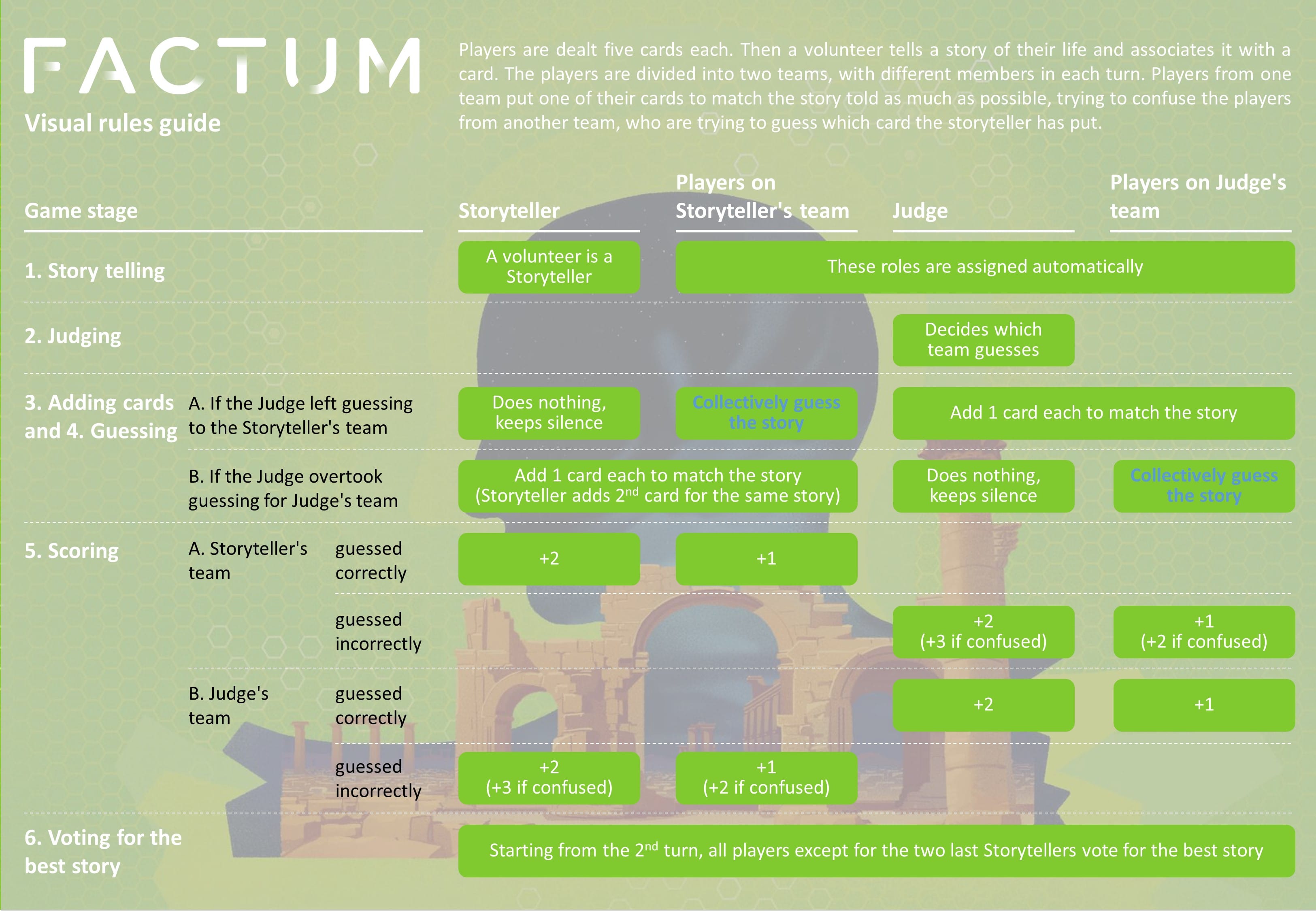
[[File:Versions.png]] [https://en.doc.boardgamearena.com/images/b/b5/Factum_Rules_Summary_EN_v1.jpg LinkText]
- 例如
建议
- Optionally include rollover text
[[File:Marrakech_example.jpg|Example move]]
表格
已知问题
common.css rules.wikicontent table {
border-collapse: collapse;
margin-left: 5px;
margin-top: 5px;
width: 98%;
}
table {
border-collapse: collapse;
border-spacing: 0;
}
caption, th {
text-align: left;
}
address, caption, cite, code, dfn, em, strong, th, var {
font-style: normal;
font-weight: 400;
}
.wikicontent table td, .wikicontent table th {
padding: 5px;
text-align: center;
}
blockquote, body, code, dd, div, dl, dt, fieldset, form, h1, h2, h3, h4, h5, h6, input, legend, li, ol, p, pre, td, textarea, th, ul {
margin: 0;
padding: 0;
}
.wikicontent table td, .wikicontent table th {
padding: 5px;
text-align: center;
}
width: 98%;在 BoardGameArena.com中的时候表格会超出页面范围。- 在BoardGameArena.com中的时候表格边界不会显示。
解决方法
| Wiki text | Wiki | BGA | |||||||||||||
|---|---|---|---|---|---|---|---|---|---|---|---|---|---|---|---|
| 原始Wiki表格 | {|class="wikitable"
|+描述
!0-90
|⭐
|-
!91-110
|⭐⭐
|-
!111-125
|⭐⭐⭐
|}
|
|
| ||||||||||||
使用width:auto; border="2"
|
{|class="wikitable" style="width:auto;" border="2"
|+描述
!0-90
|⭐
|-
!91-110
|⭐⭐
|-
!111-125
|⭐⭐⭐
|}
|
|
|
选项网格 Option grids
选项网格(Option grids)是一种可视化工具,传统的Wiki文本表格无法灵活适配特殊的情况可以通过HTML + CSS grid 来调整布局,例如 Gamehelppente:
引用块
已知问题
common.css rulesblockquote, body, code, dd, div, dl, dt, fieldset, form, h1, h2, h3, h4, h5, h6, input, legend, li, ol, p, pre, td, textarea, th, ul {
margin: 0; /*removes inline and block margins*/
padding: 0; /*removes list indentation*/
}
- 边距 和 内边距在 BoardGameArena.com中被移除。
- 无左 边界.
解决方法
<blockquote> formatting| Wiki text | Wiki | BGA |
|---|---|---|
<blockquote style="
    margin:1em 0;
    margin-inline:40px;
    padding:8px 32px;
    border-left:4px solid #eaecf0;
">
This is a <blockquote>
</blockquote>
|
|
|
Wiki模板
不同语言的Wiki模板需要单独创建,英文已有的模板若中文中没有,可以进行搬运。
已知问题
解决方法
使用搬运流程所示进行搬运或使用其他方式替代。
- 找到对应模板的英文Wiki,点击编辑源代码,复制
- 在英文Wiki网页上前段的
en.doc改为zh-cn.doc,回车 - 点击创建页面,将之前复制的源代码贴上,新增页面
- 在本页下方添加对应链结并更新
模板:InfoBox
折叠文本,可以将一些网页内容折叠到框中,点击才能打开查看,避免在页面上显示过多的信息。
模板:InfoBoxes
页面仅用于定义模板,文档请参阅模板:InfoBox。
模板:InfoBoxes3
页面仅用于定义模板,文档请参阅模板:InfoBox。
模板:GameIcon
通用图标模板,已有图标参阅英文Wiki。